
Project Context
Juju is Canonical’s powerful cloud orchestration tool, but its documentation was fragmented across products (Juju Core, Charmcraft, JAAS), overly technical, and hard to navigate.
We were asked to rethink the documentation experience to make it easier for users to start, explore, and succeed, whether they are new developers or returning contributors.
What We Uncovered
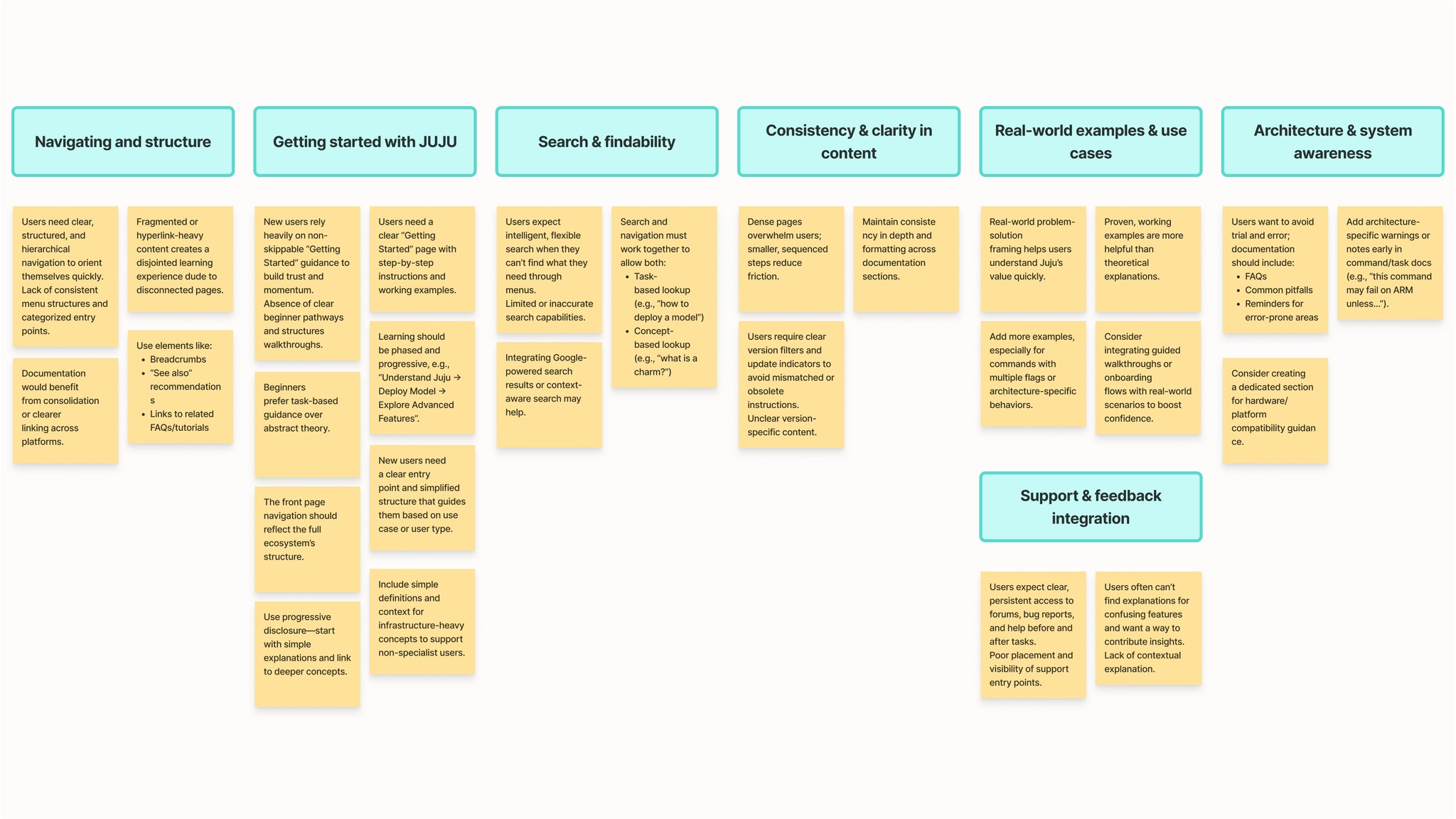
Through interviews, heuristics, and benchmarking, we learned:
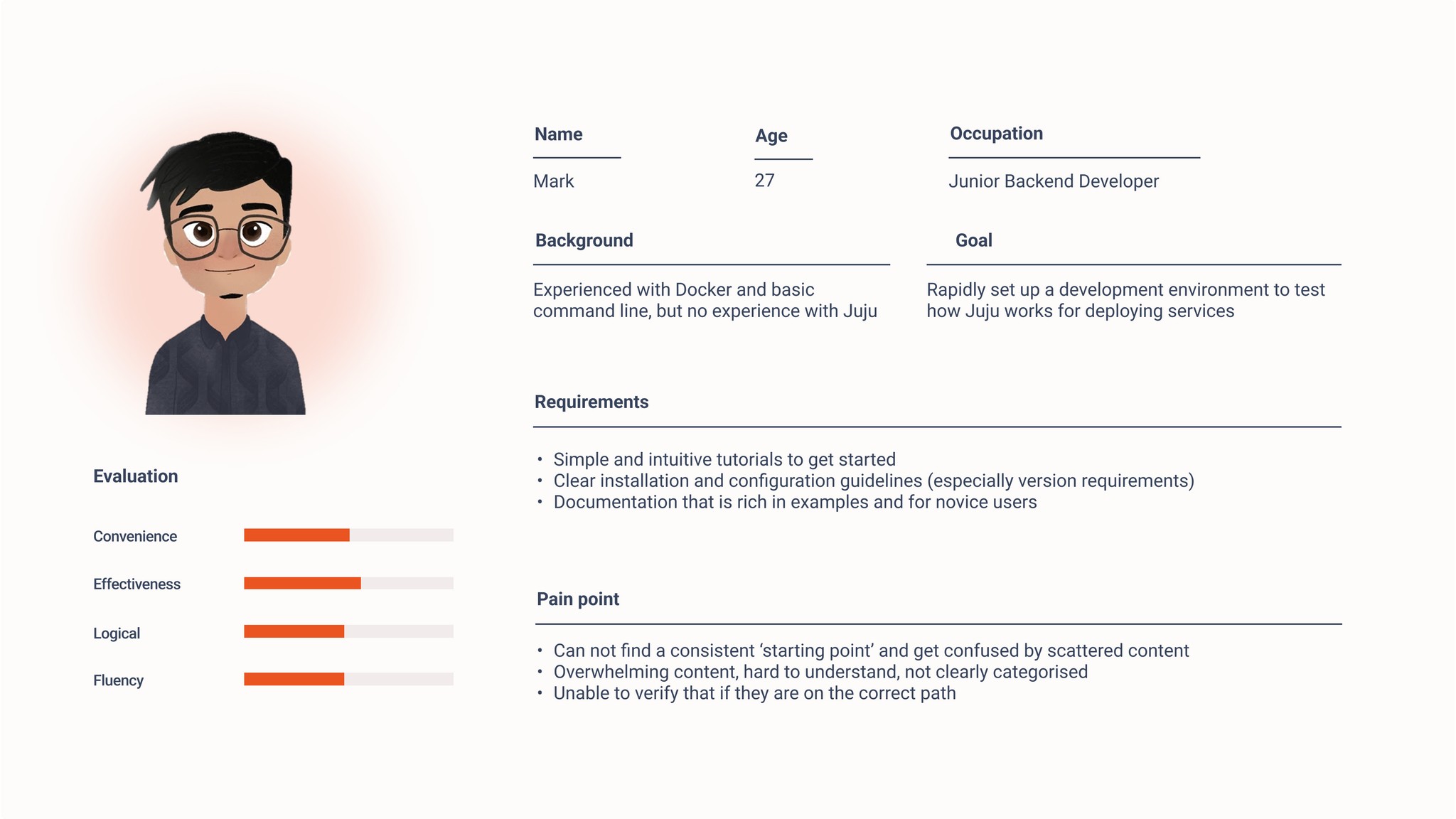
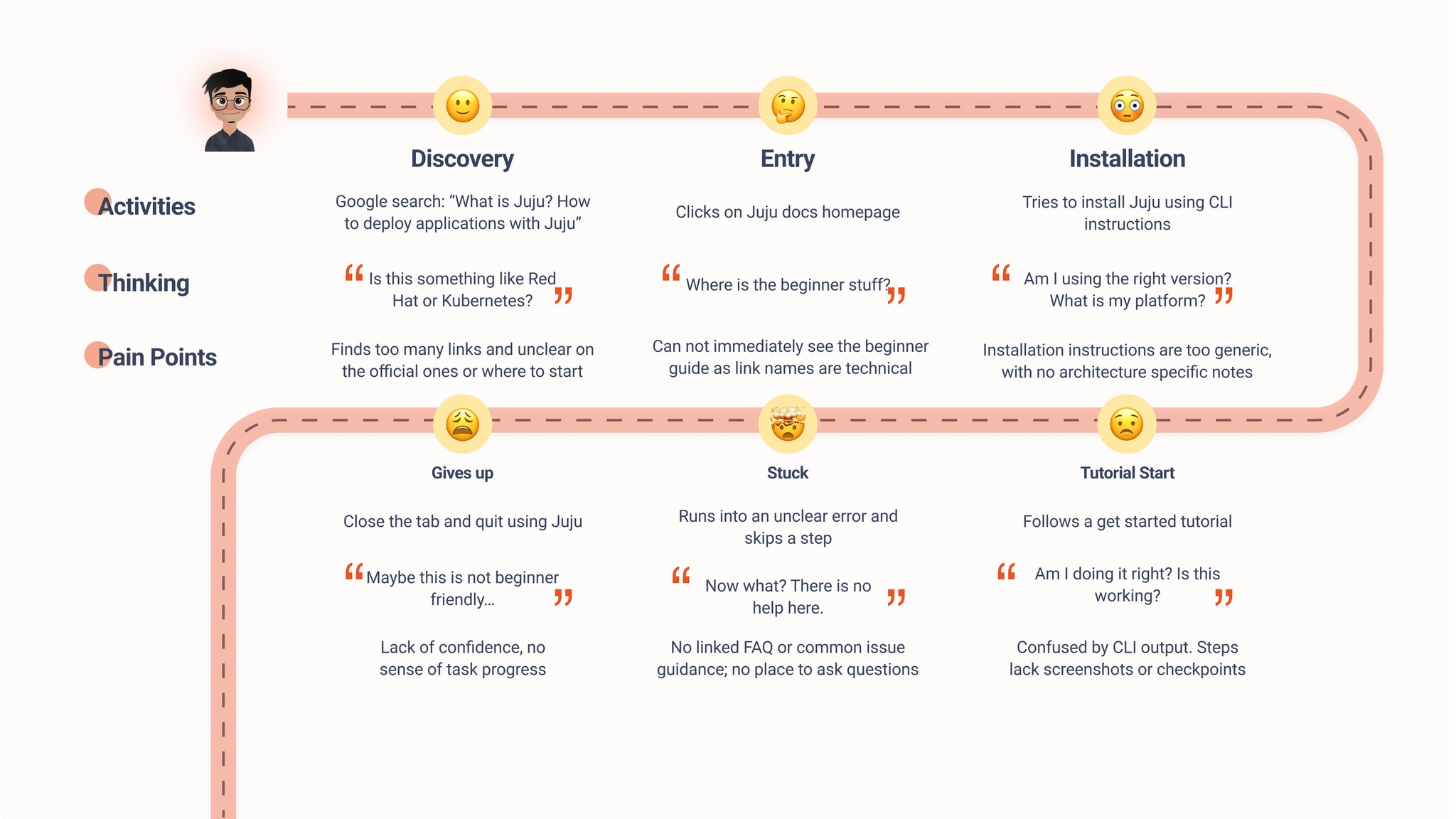
Users struggled to find a clear starting point
They frequently jumped between unlinked pages
Many gave up due to unclear examples and inconsistent structure
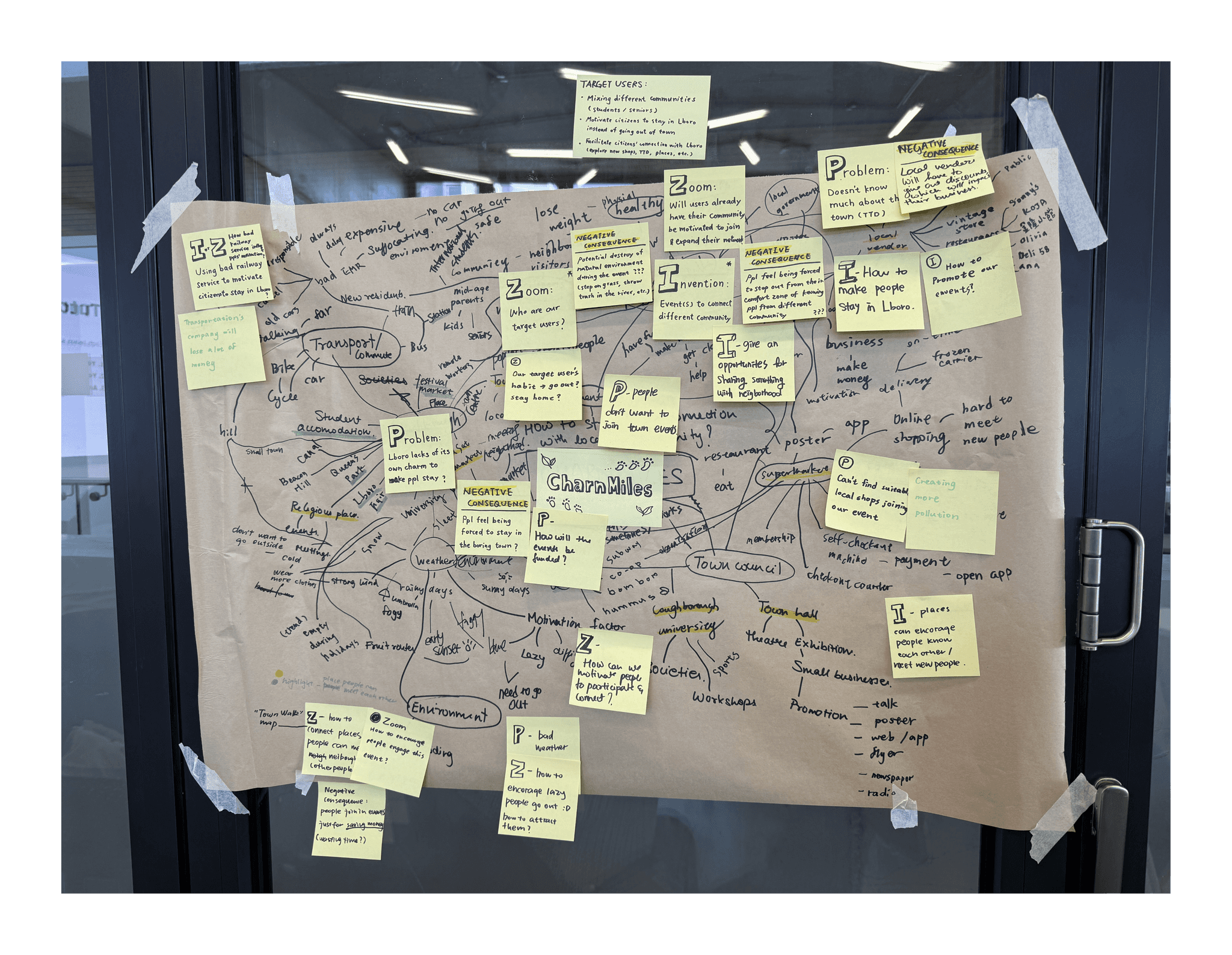
Thematic analysis
Design Focus
We reframed our challenge into three key areas of opportunity:
Guided Onboarding
Clear entry points, structured tutorials, and version alerts
Smarter Navigation
Filtered search, task-based sections, ecosystem clarity
In-Context Support
Inline comments, chatbot, and user feedback loops
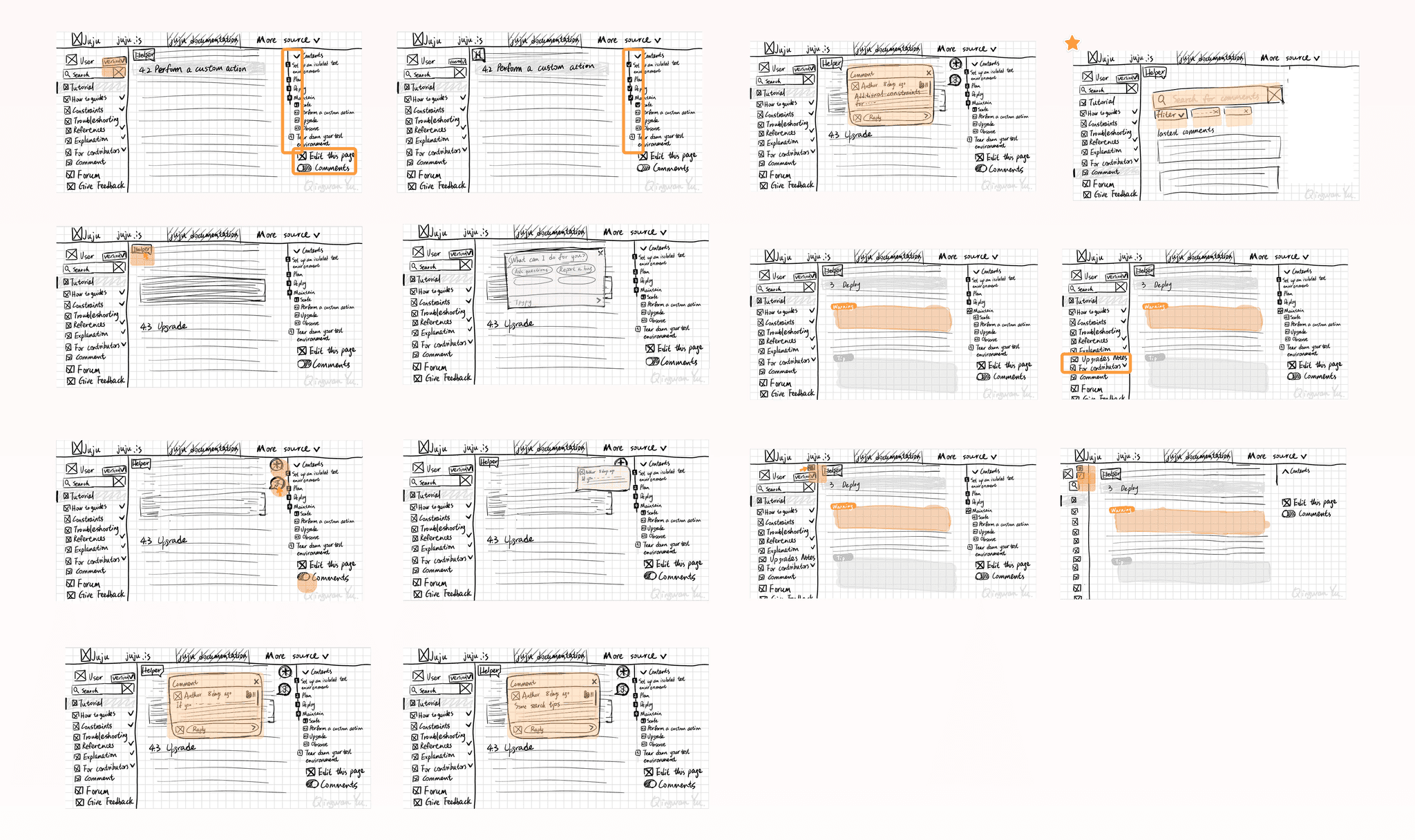
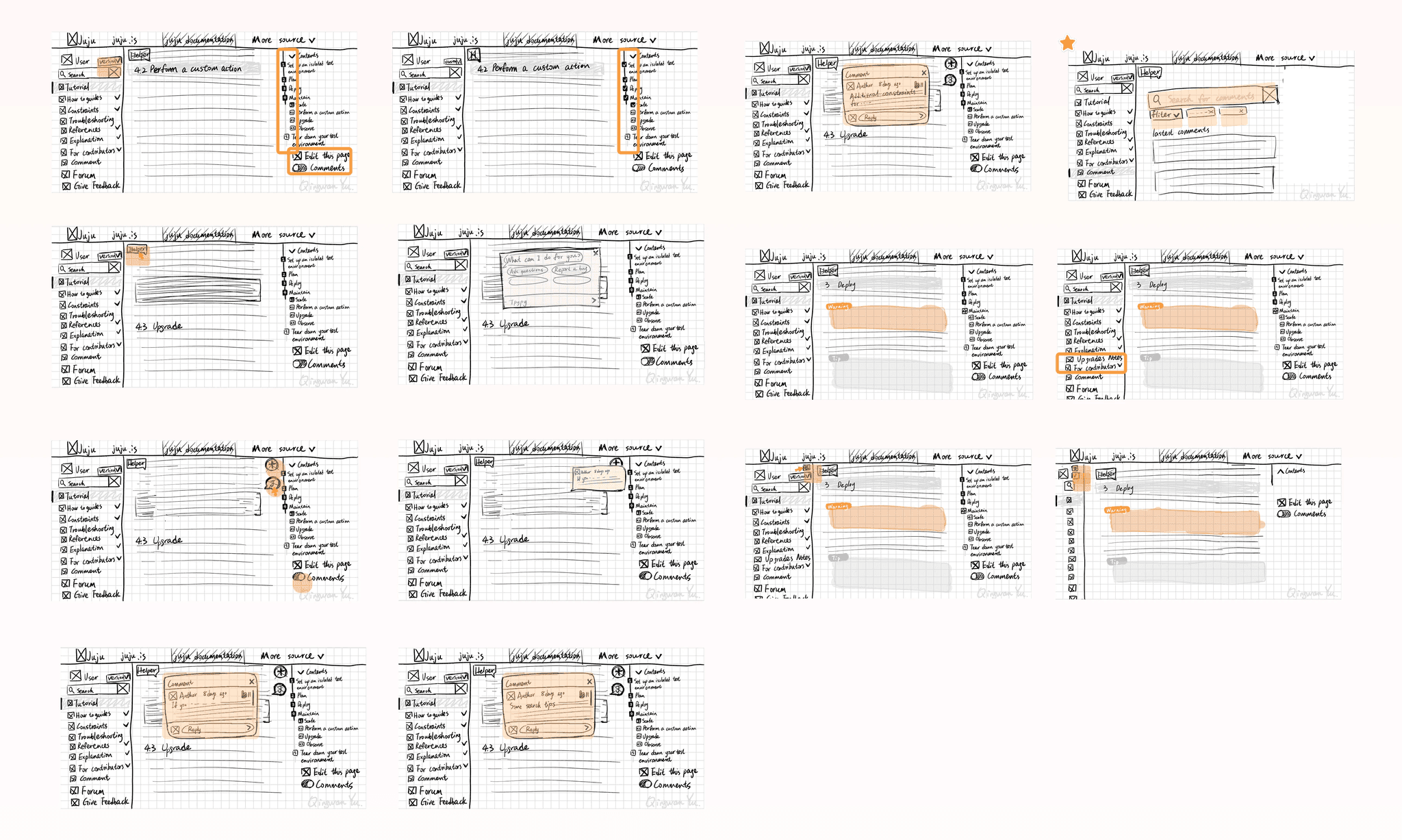
Crazy 8's for a rapid ideation session
Key Design Concepts
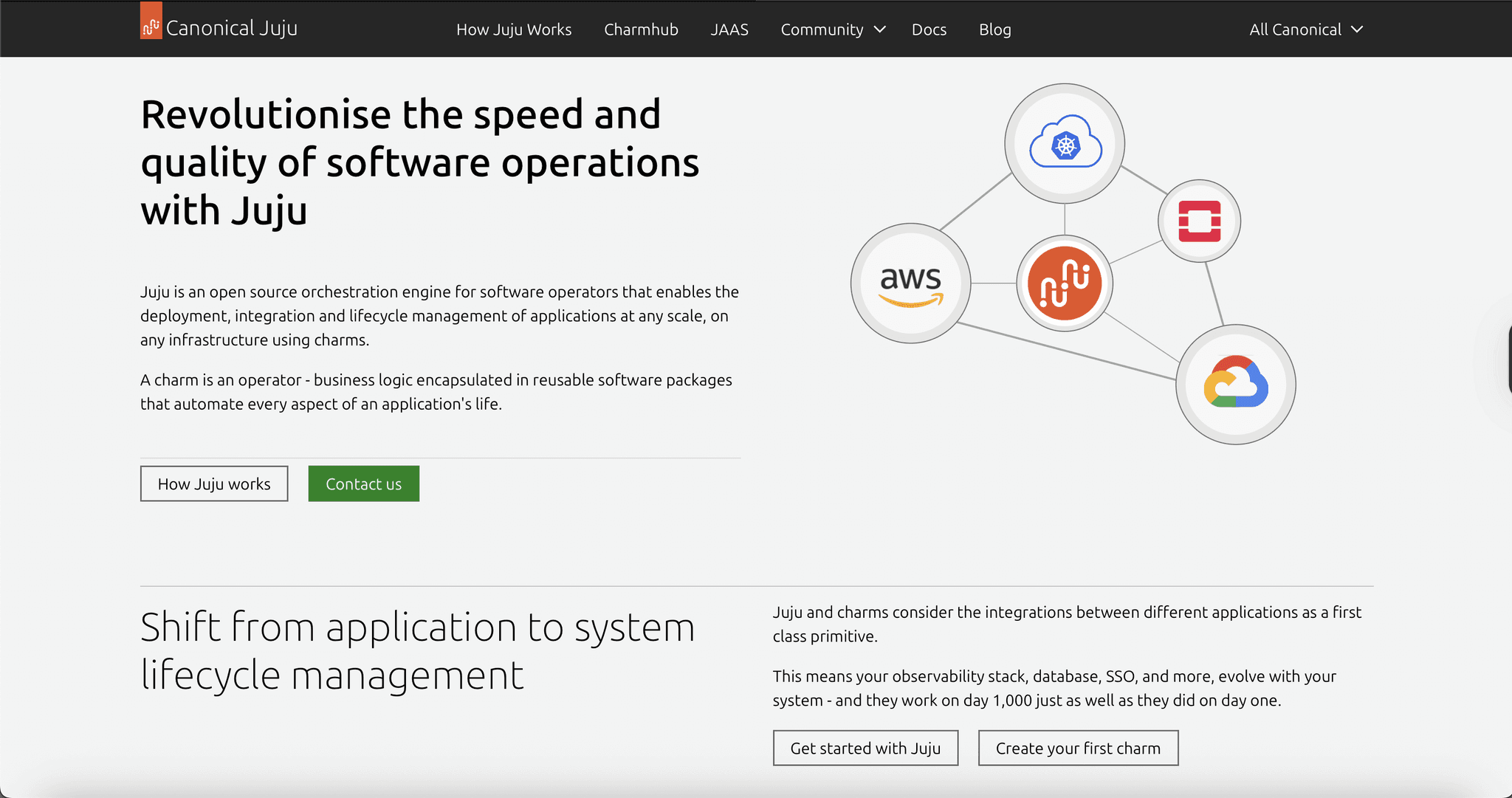
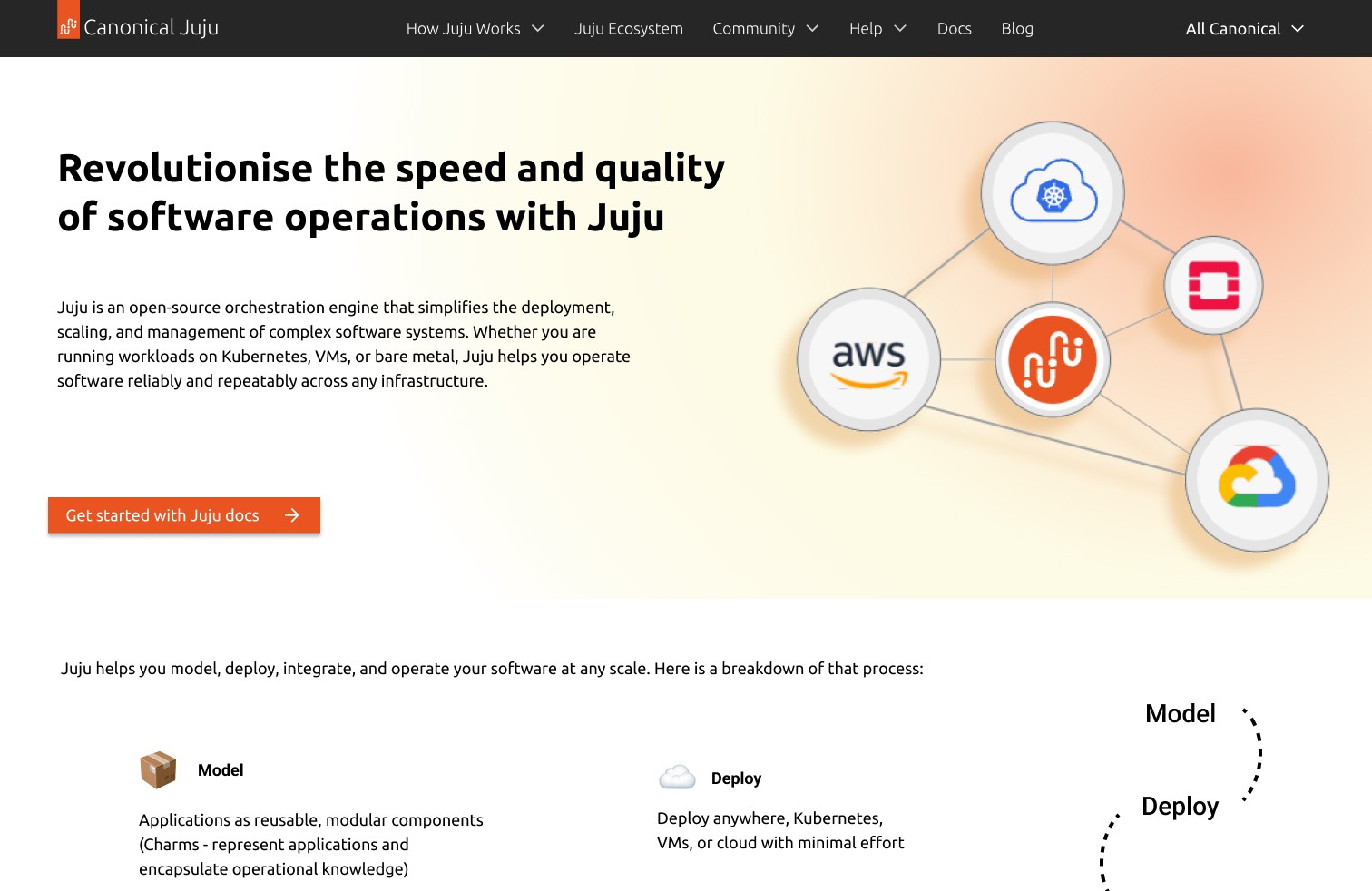
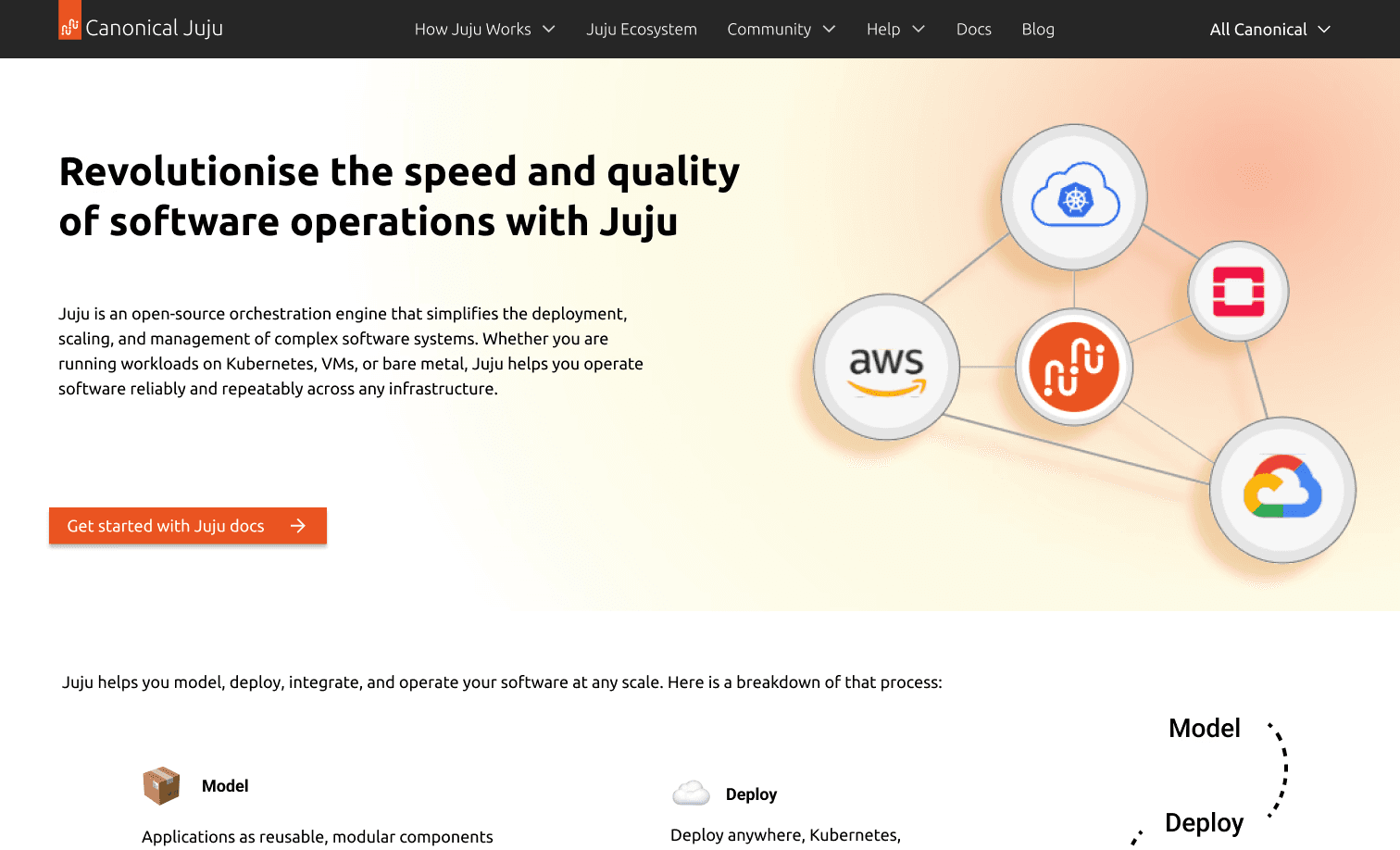
Redesigned Landing Page
Establishes a clear starting point for users unfamiliar with Juju, while presenting a simplified overview of the ecosystem’s tools and entry paths.
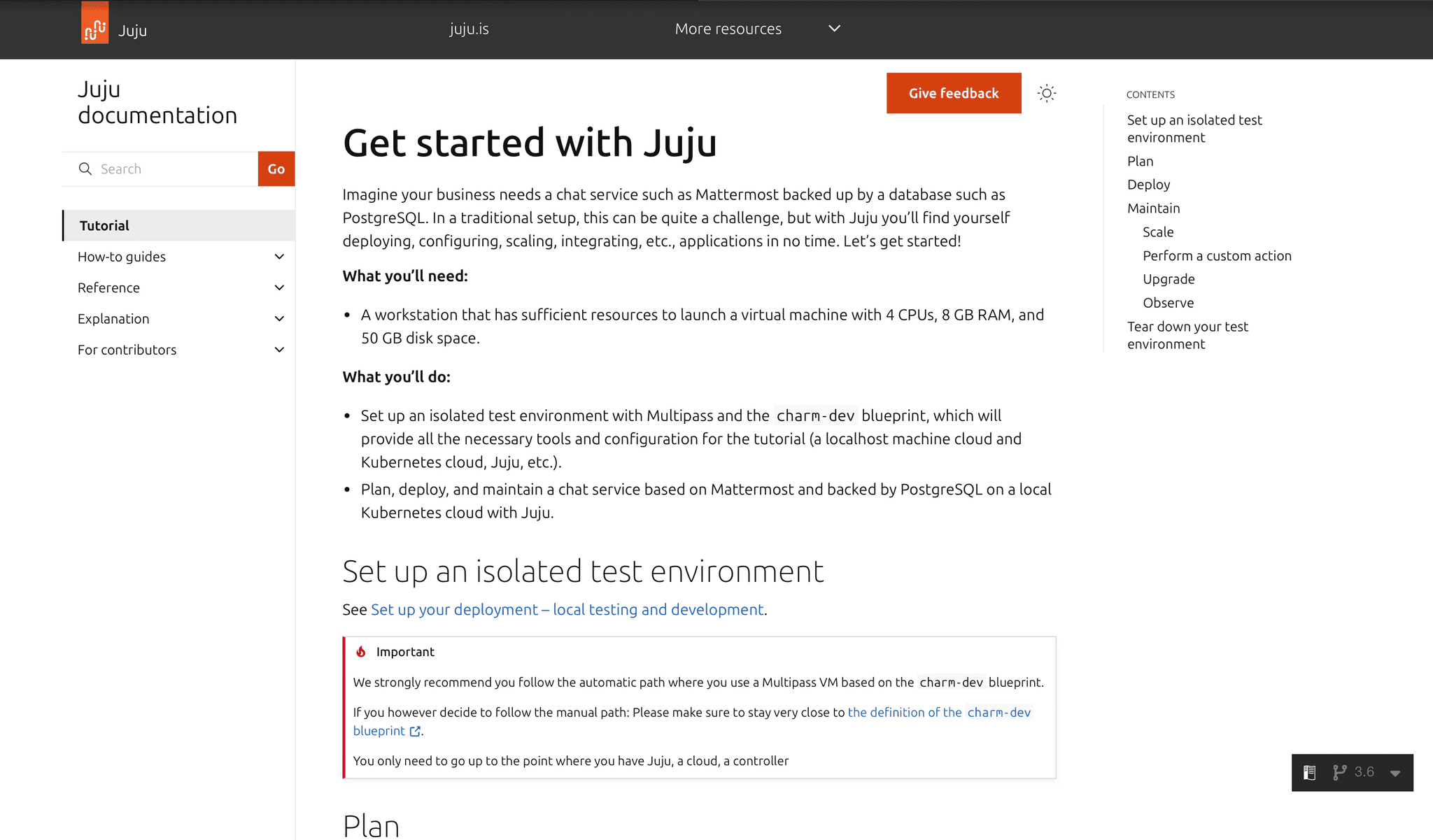
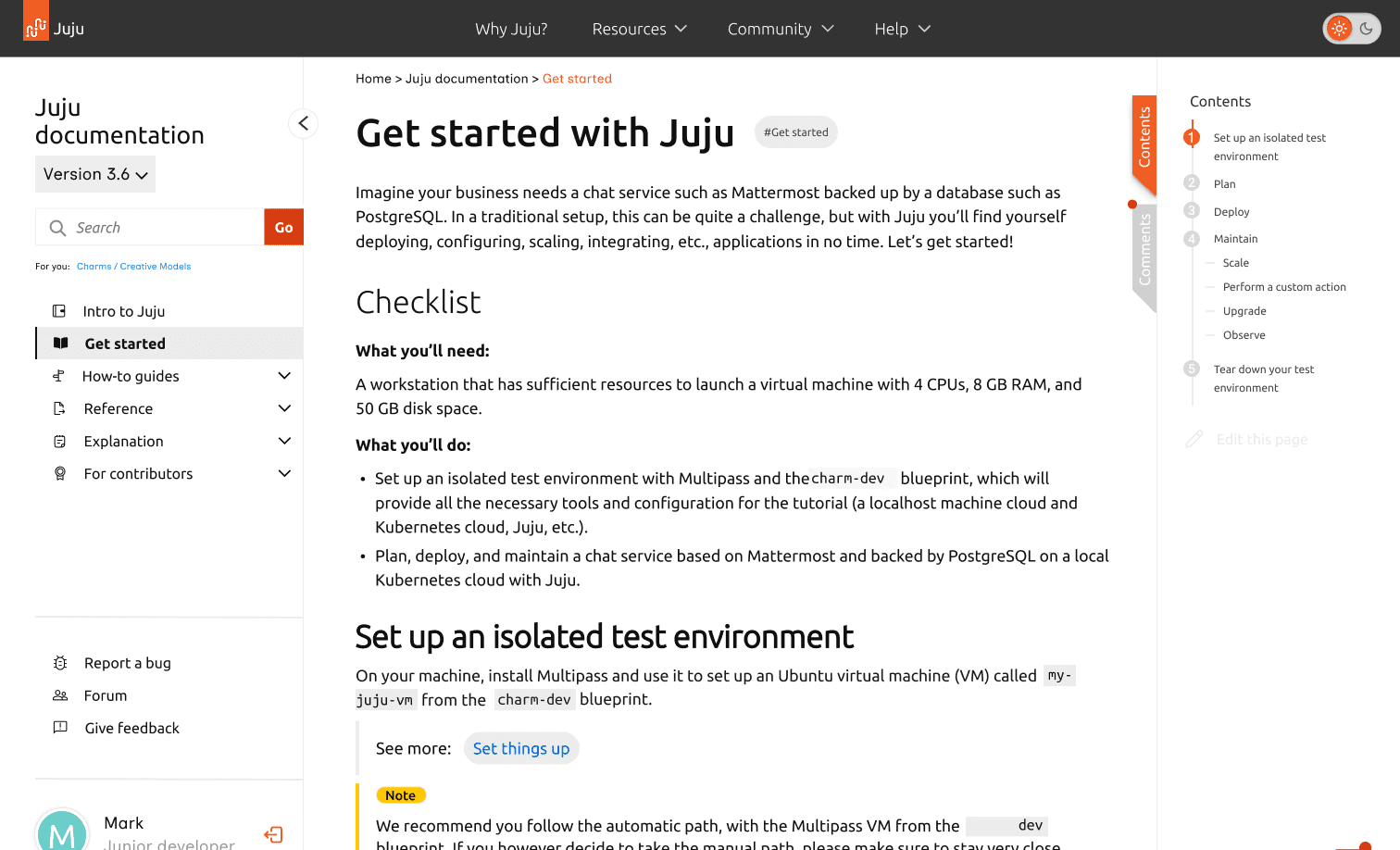
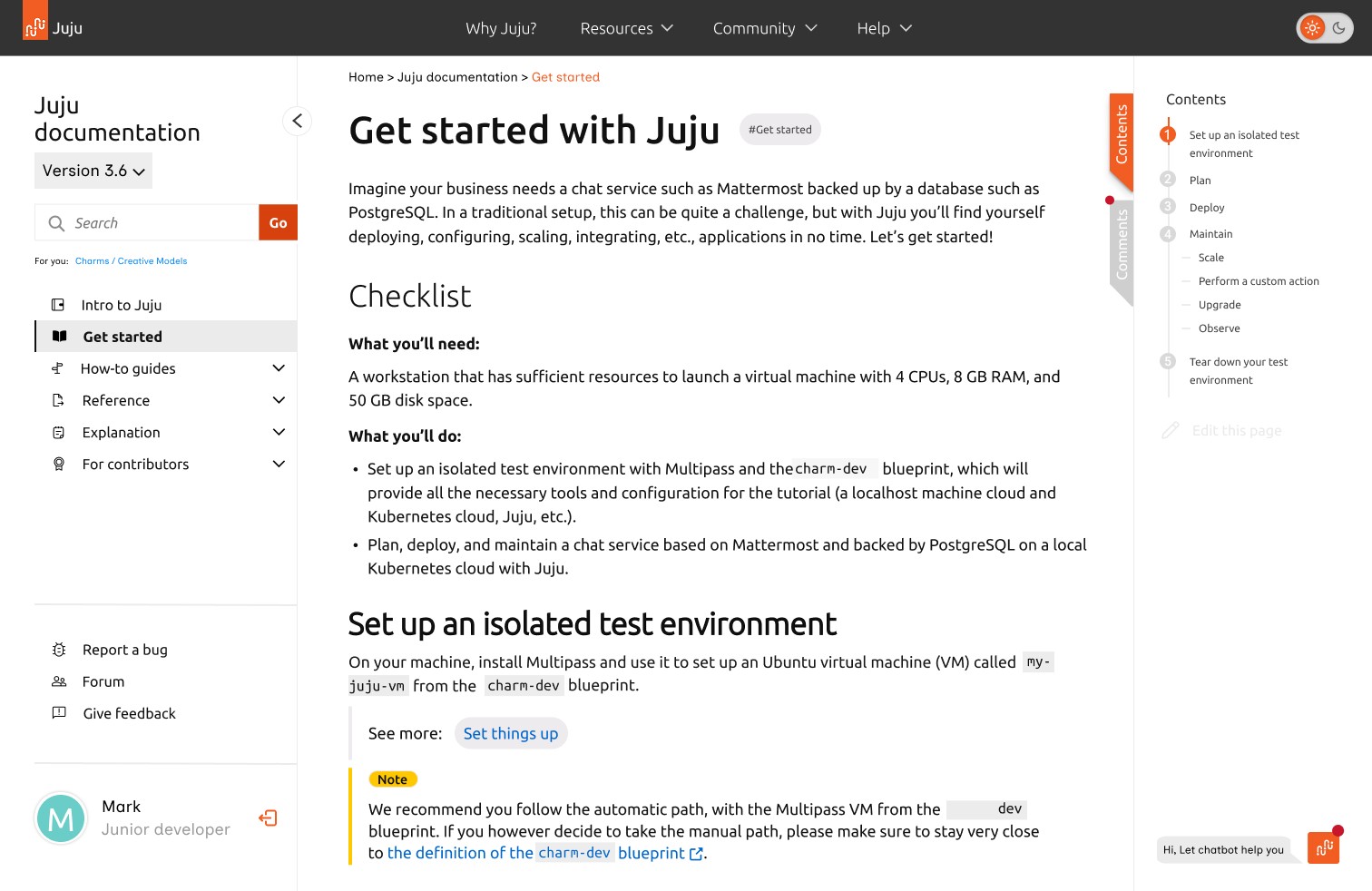
“Get Started” Tutorial Flow
Breaks down onboarding into task-based steps tailored to user roles (e.g., developer, ops), reducing confusion and cognitive load from generic content.
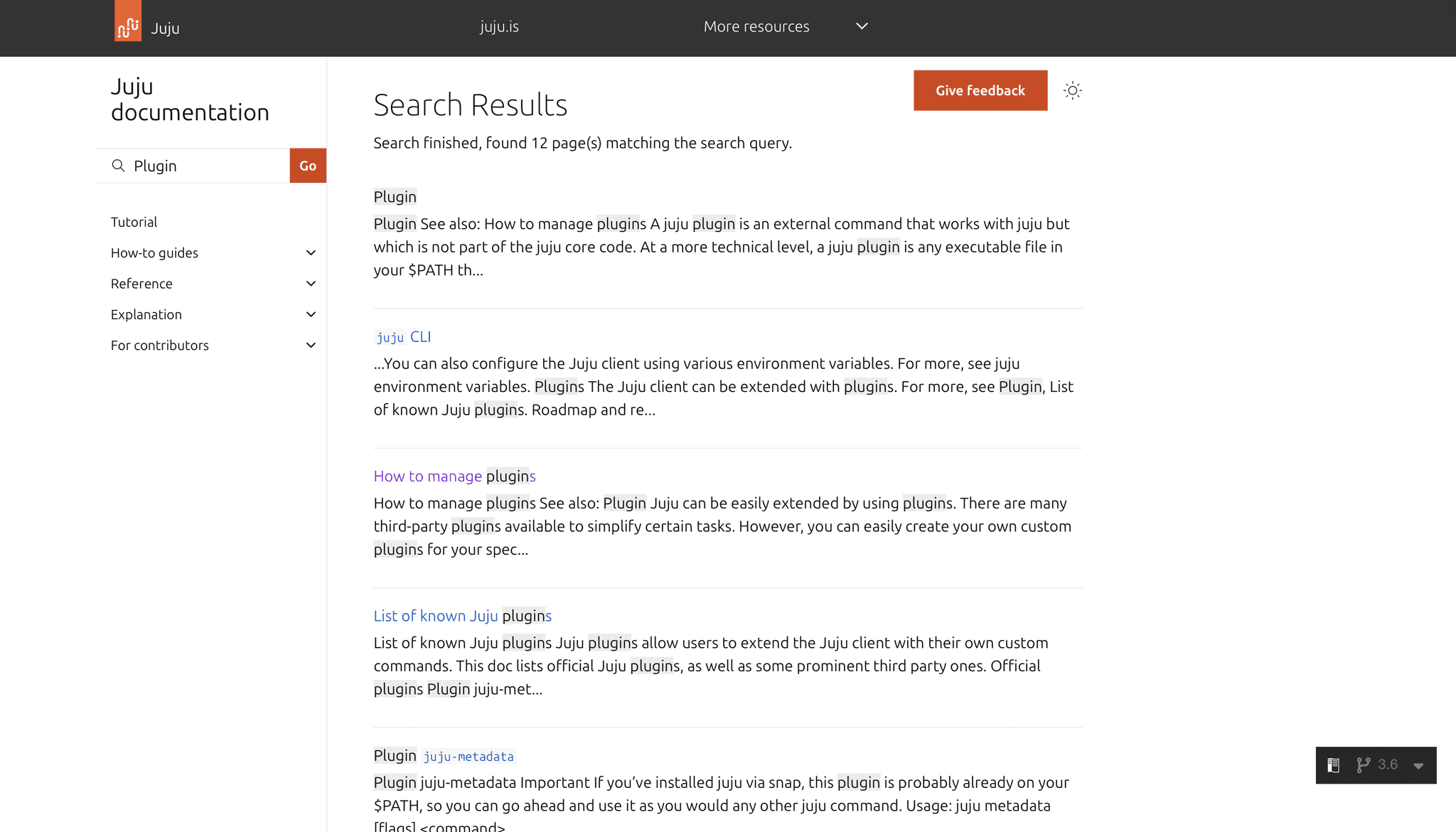
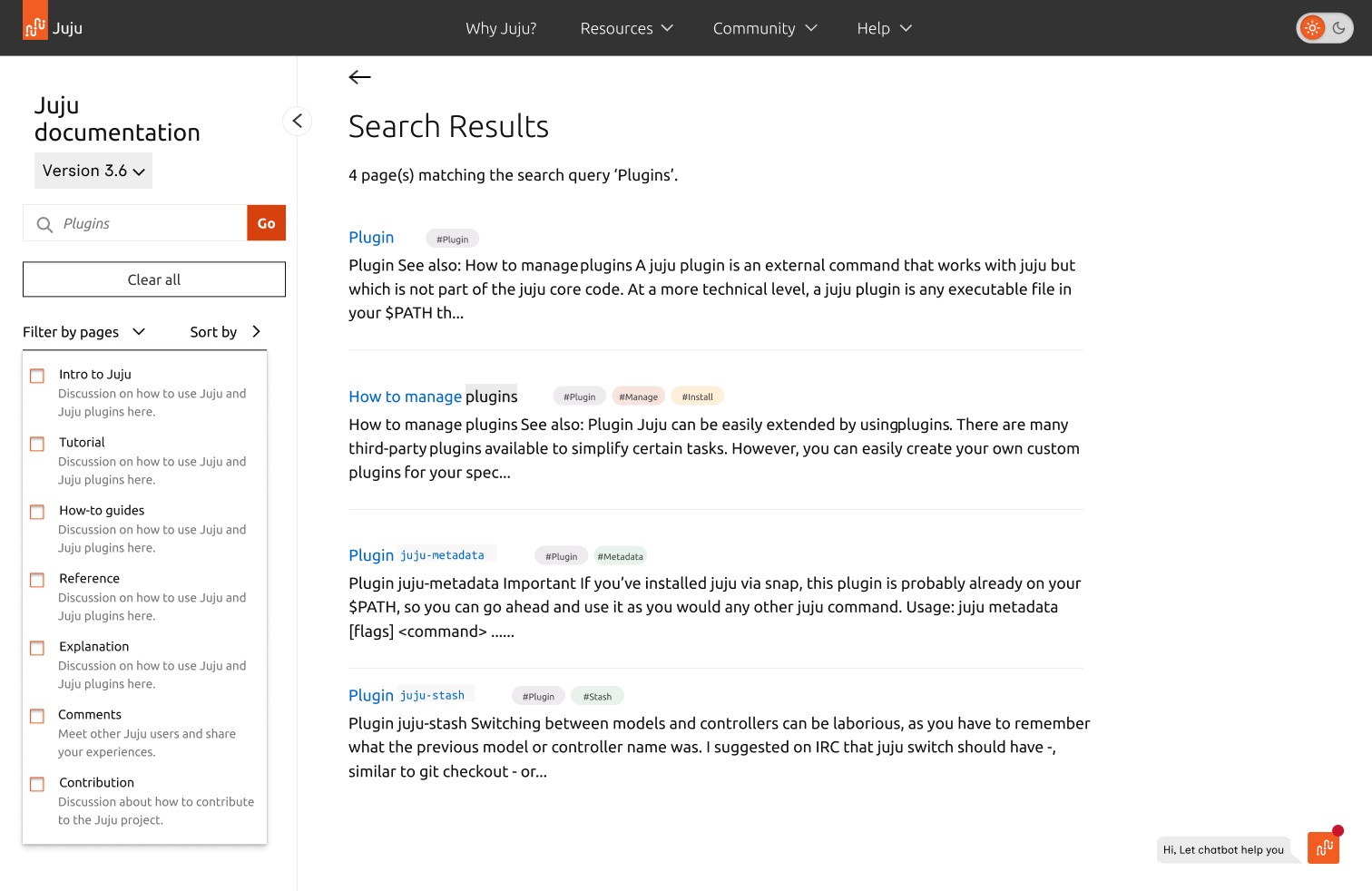
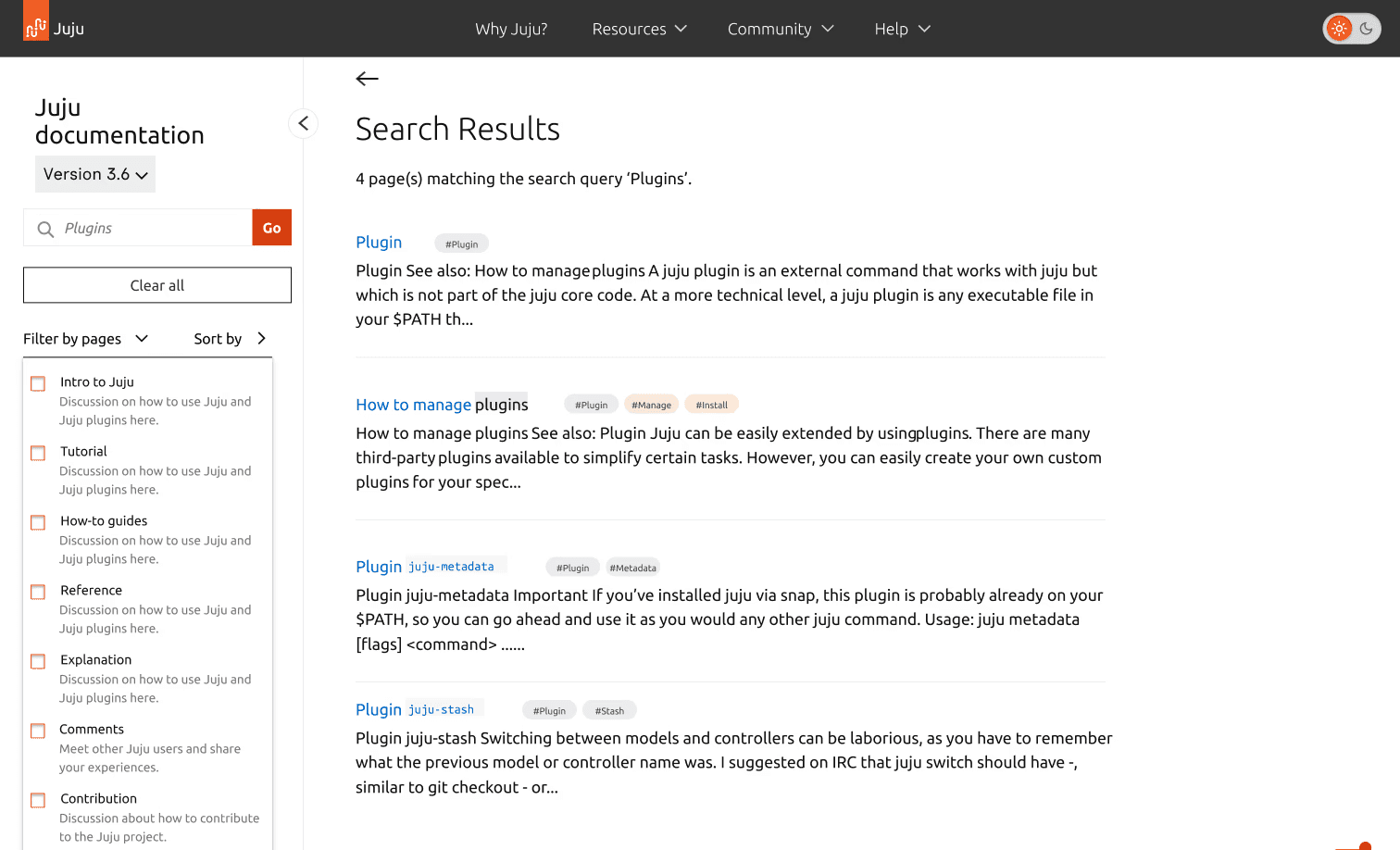
Smart Search + Filters
Improves discoverability by letting users search with intent — filtering results by guide type, relevance, or keywords to get to the right page faster.
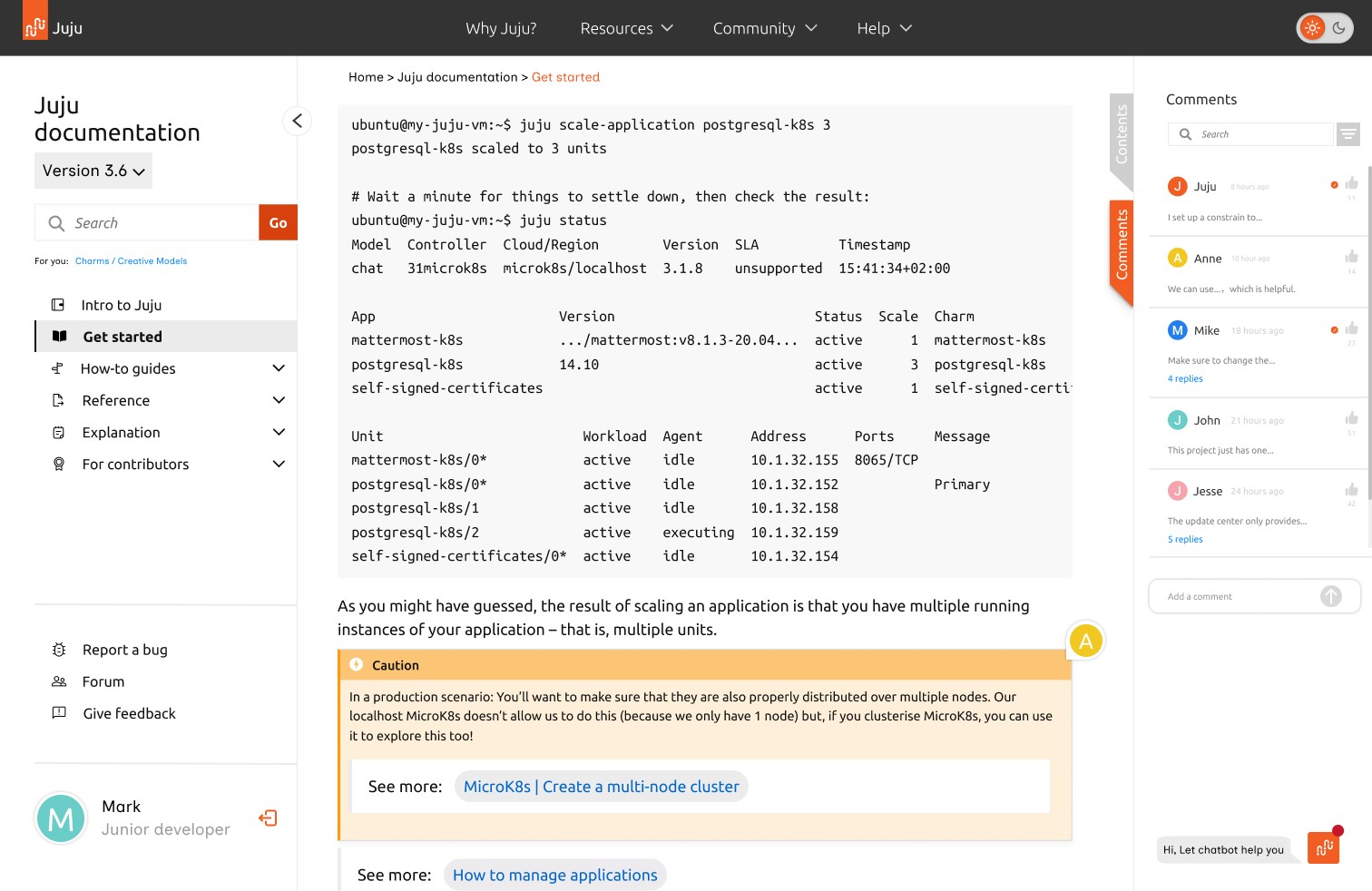
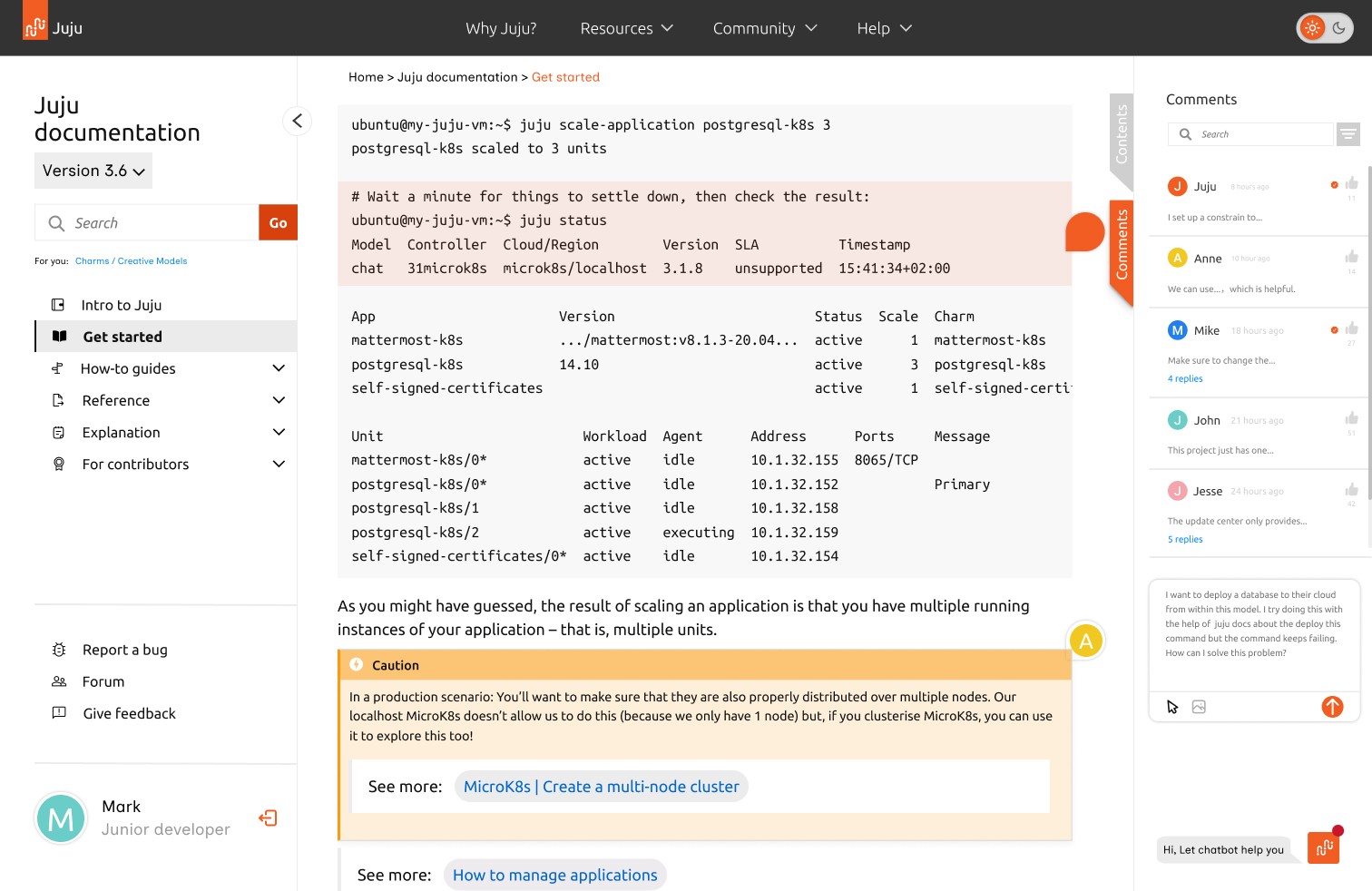
In-page Comments
Allows users to ask questions directly where confusion happens, creating a feedback loop that supports peer learning and reduces support dependency.
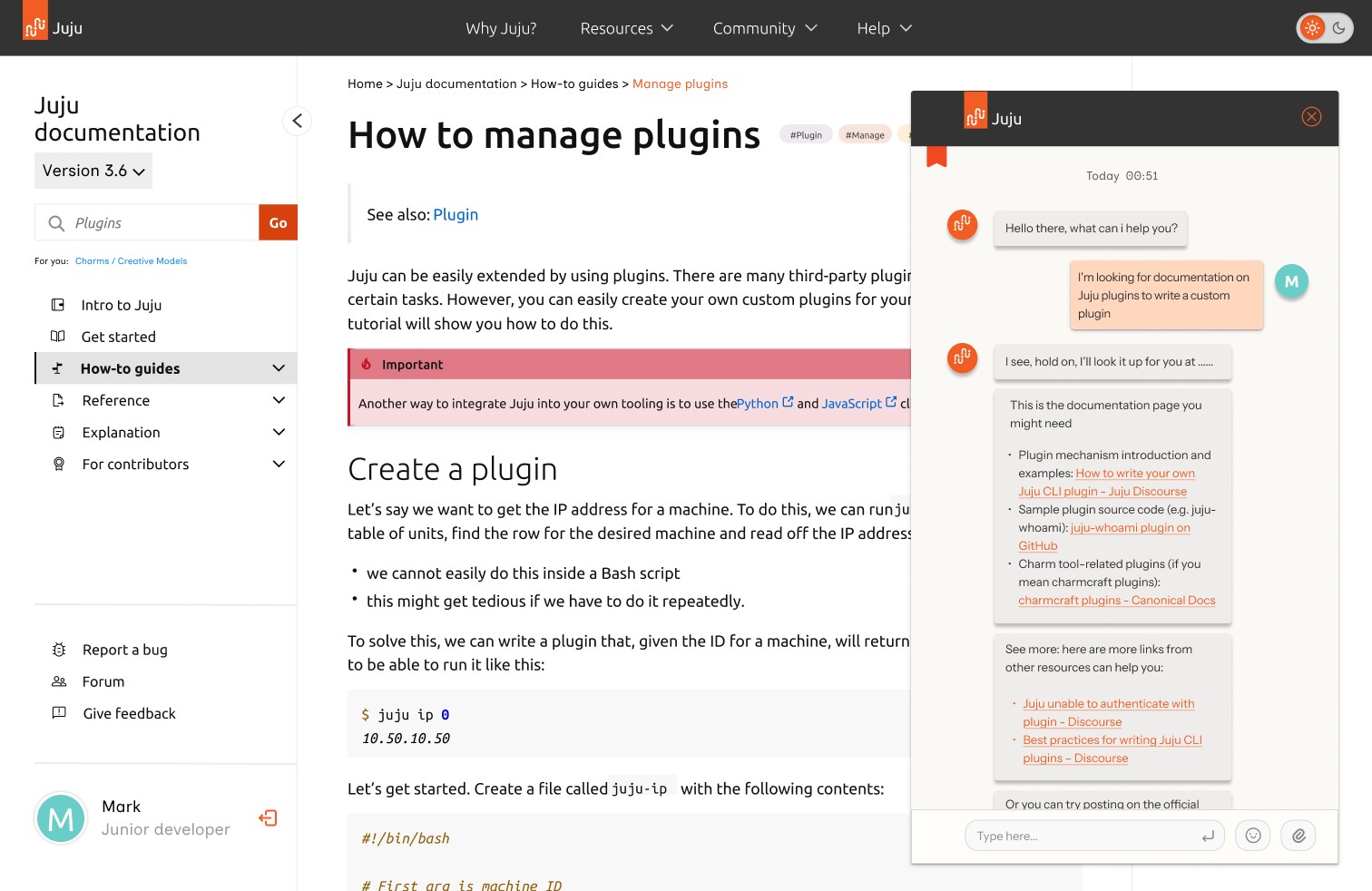
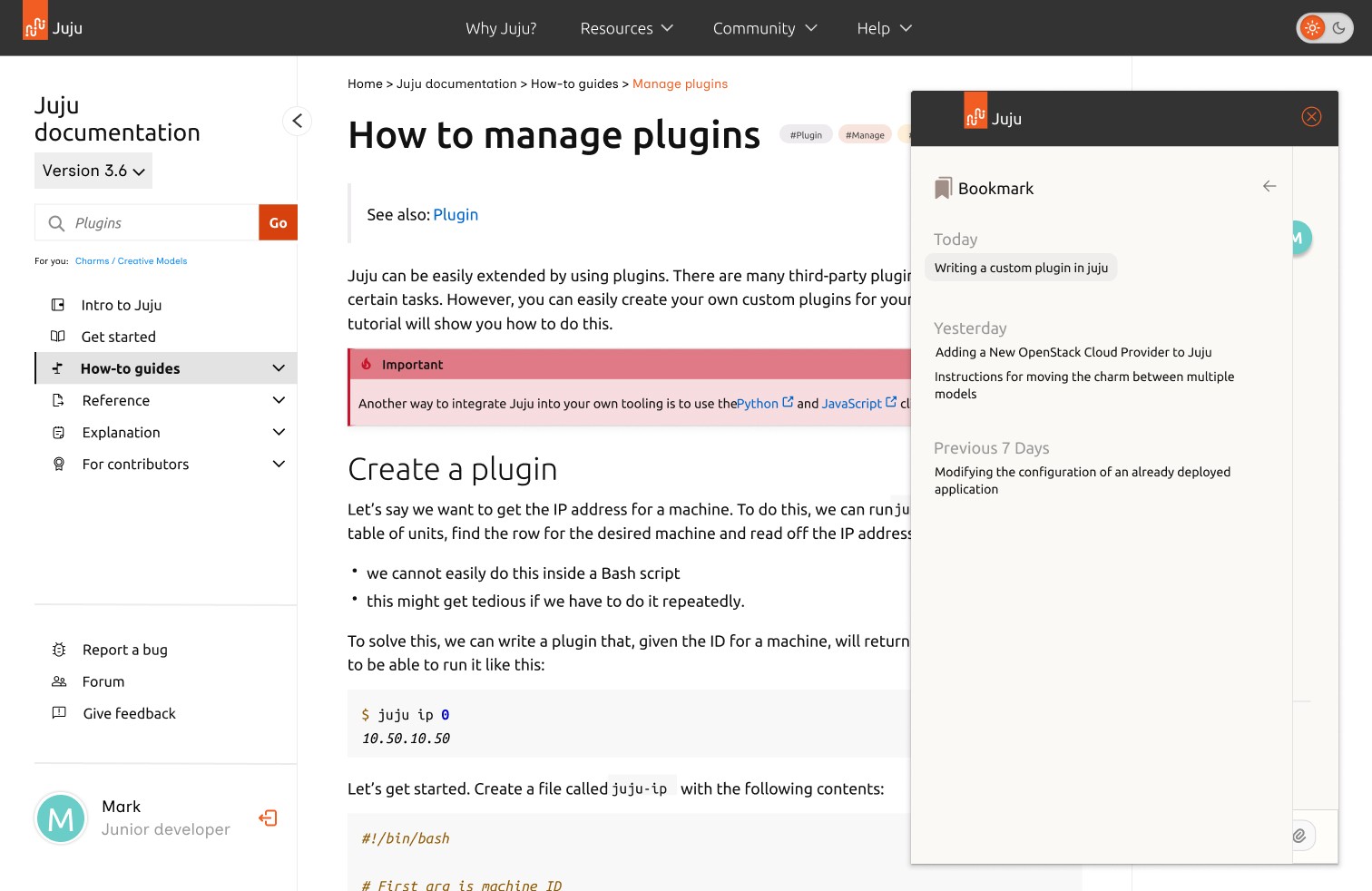
AI Chat Assistant
Delivers real-time, contextual help and relevant documentation links without forcing users to leave the page or interrupt their workflow.
Testing & Feedback
We tested our prototype with two developers using task-based scenarios. The feedback was consistently positive, with an average SUS score of 77.5 and a median task rating of 4.5/5. Users found the new structure clearer and appreciated the contextual support features like search filters and inline comments.
4.5/5
Median Task Rating
77.5
SUS Score (Avg)
“Much easier to get started”
“Search and filters are helpful”
“Loved the inline help feature”
Feedback
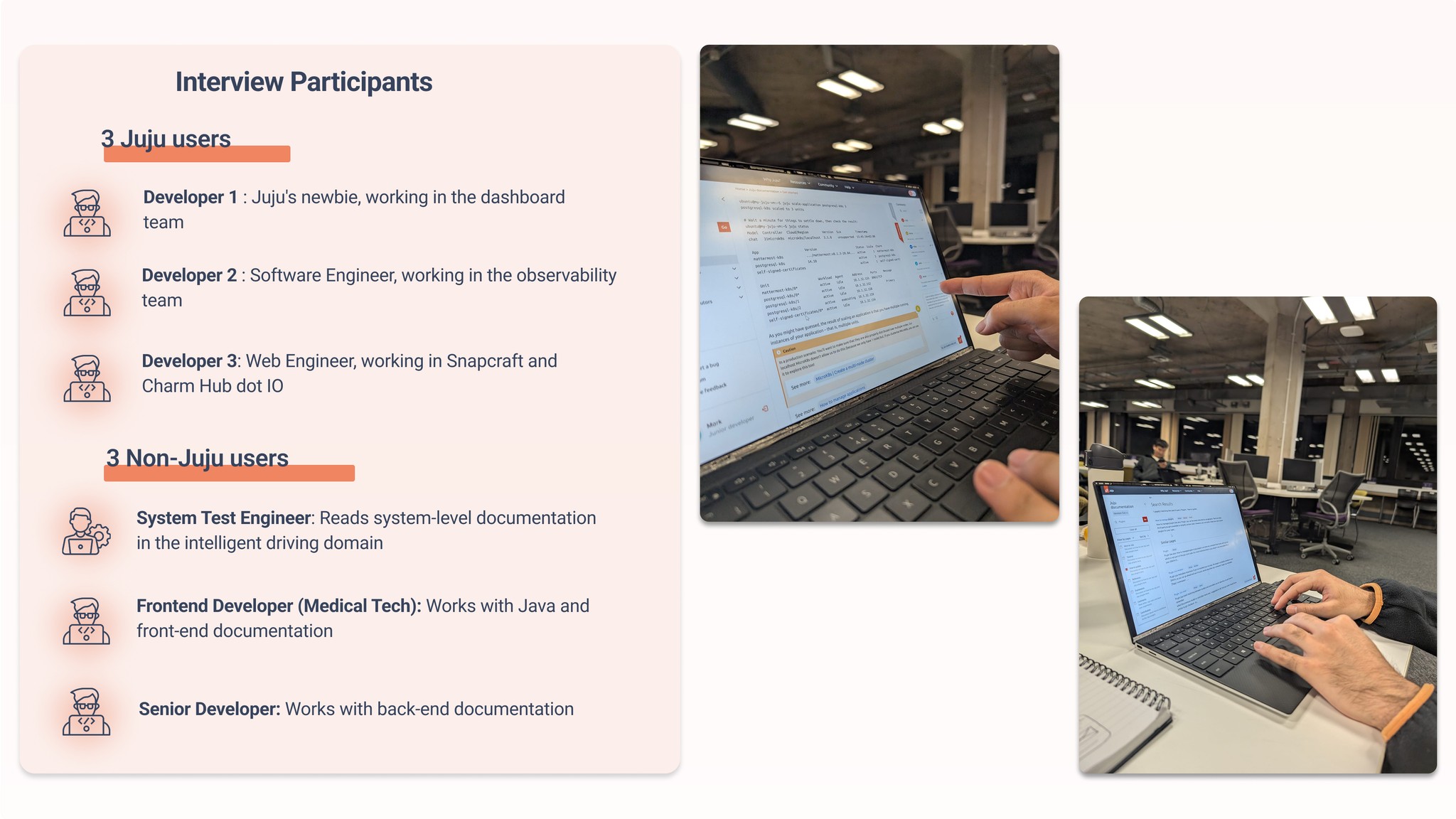
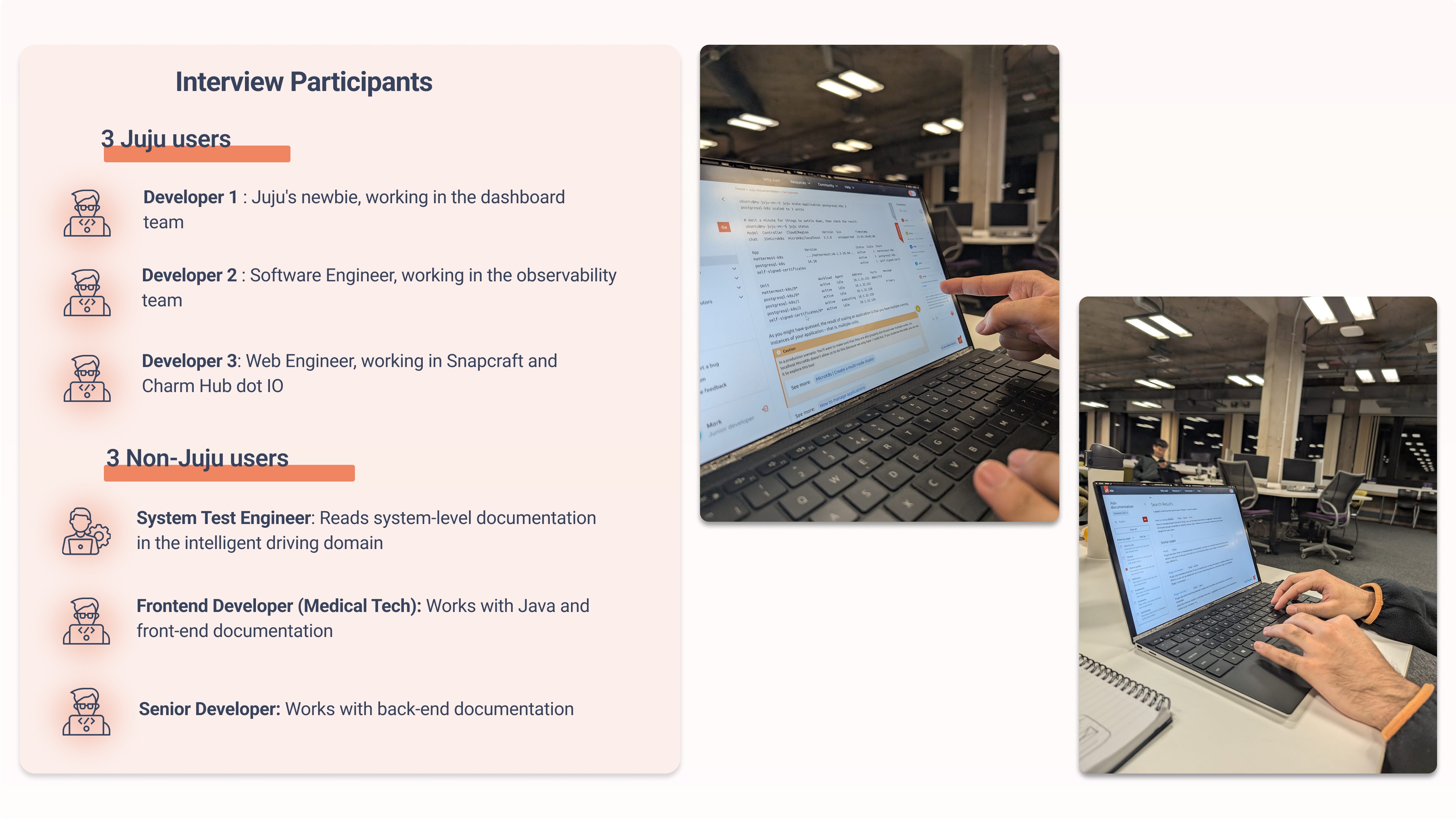
Participants included non-Juju users and new developers
Looking Ahead
We proposed several strategic directions for Canonical’s future implementation:
Role-based learning paths tailored to beginner, intermediate, and expert users
Community-driven content: verified user comments, shared examples, alternate solutions
Analytics to track where users drop off, where confusion spikes, and what content works best
Content governance model for contributors and product teams to maintain quality and alignment
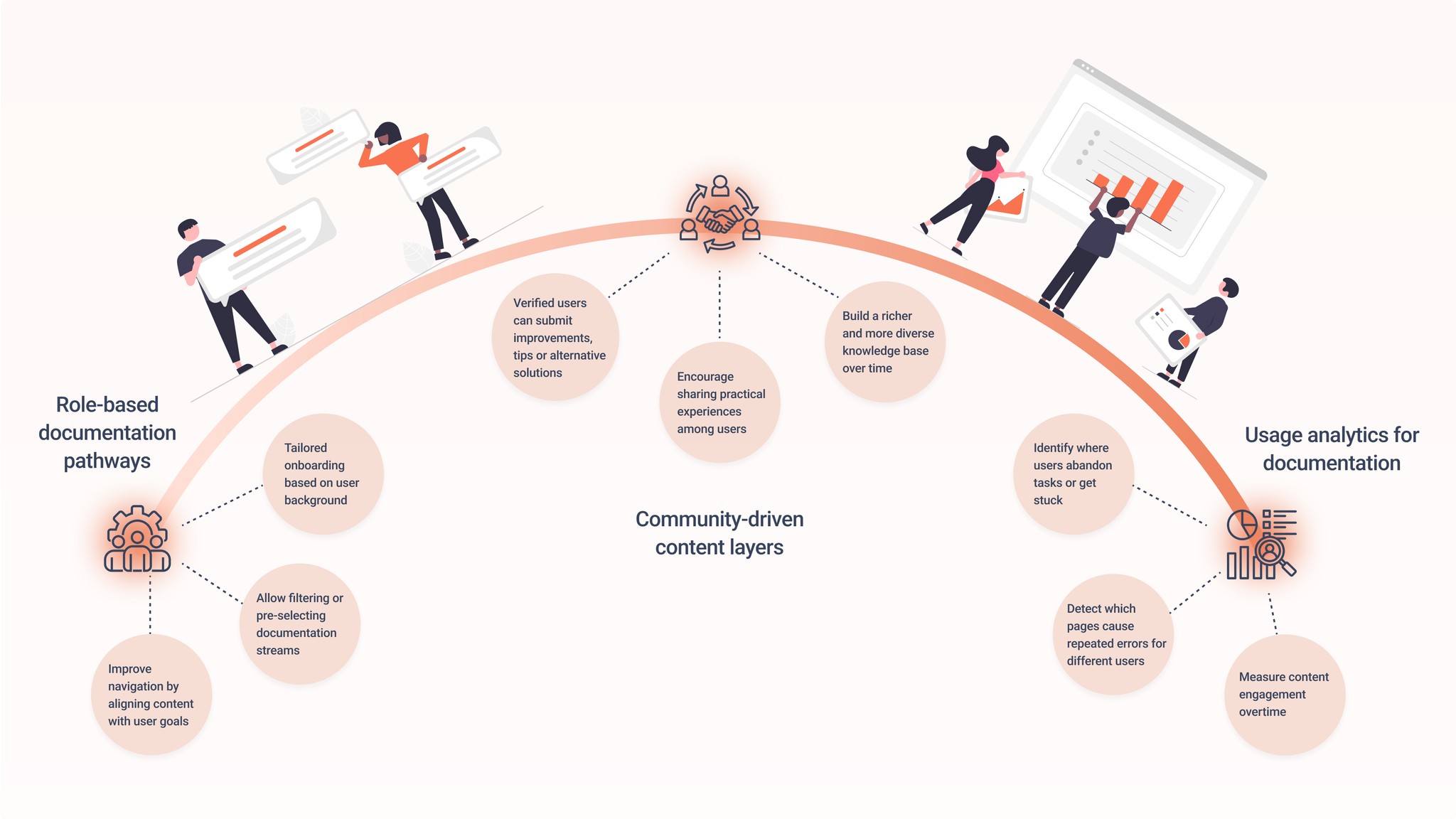
Future road map
Canonical Team Feadback
After our final presentation, we received detailed feedback from Canonical’s UX team — both encouraging and constructive. They recognised our adaptability, user focus, and our ability to work in a highly technical space with limited access to users.
What stood out to me was their emphasis on going beyond process, not just showing what we did, but clearly justifying why we made key decisions and what impact those decisions could have. This stuck with me.
In future projects, I plan to push harder on communicating value, not just outcomes — helping stakeholders see not only how the work was done, but why it matters. Their feedback also reinforced how valuable it is to balance ambition with restraint and to make space for simplicity when solving complex problems.
“They managed to distill actionable, user-focused insights and suggest pragmatic improvements to Juju’s documentation.”
“They showed a good balance of ambition and restraint.”
“Their ideas… especially around role-based documentation pathways and community-driven content, were exceptionally strong.”
— Miguel Divo, UX Designer, Canonical
Reflection
This project strengthened my ability to:
Design in ambiguous, technical domains
Facilitate team clarity across different cultures and disciplines
Balance systems thinking with usability, creating experiences that scale while supporting individual users
It reminded me that developer experience design isn’t just about clean UIs — it’s about designing pathways that reduce uncertainty.
What I Learnt
I learnt that:
Good UX starts with good listening — especially when navigating abstract, technical domains
Design is about facilitation as much as ideation — guiding teams, users, and decisions
Progress isn’t always about adding features — sometimes it’s about subtracting noise
This project made me more confident in working with ambiguity, leading from research to prototype, and shaping collaborative, thoughtful design processes.